The cap shrinks
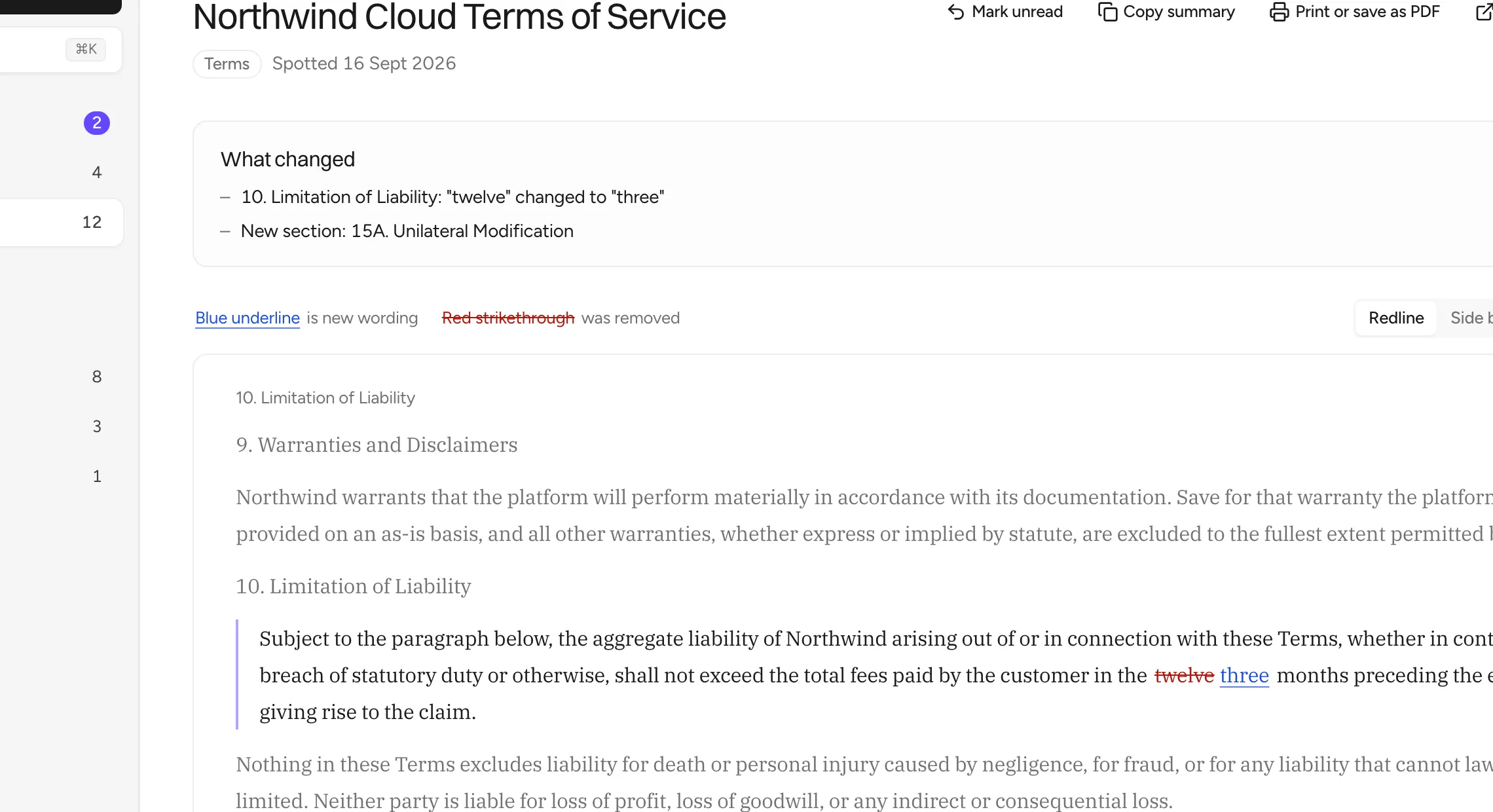
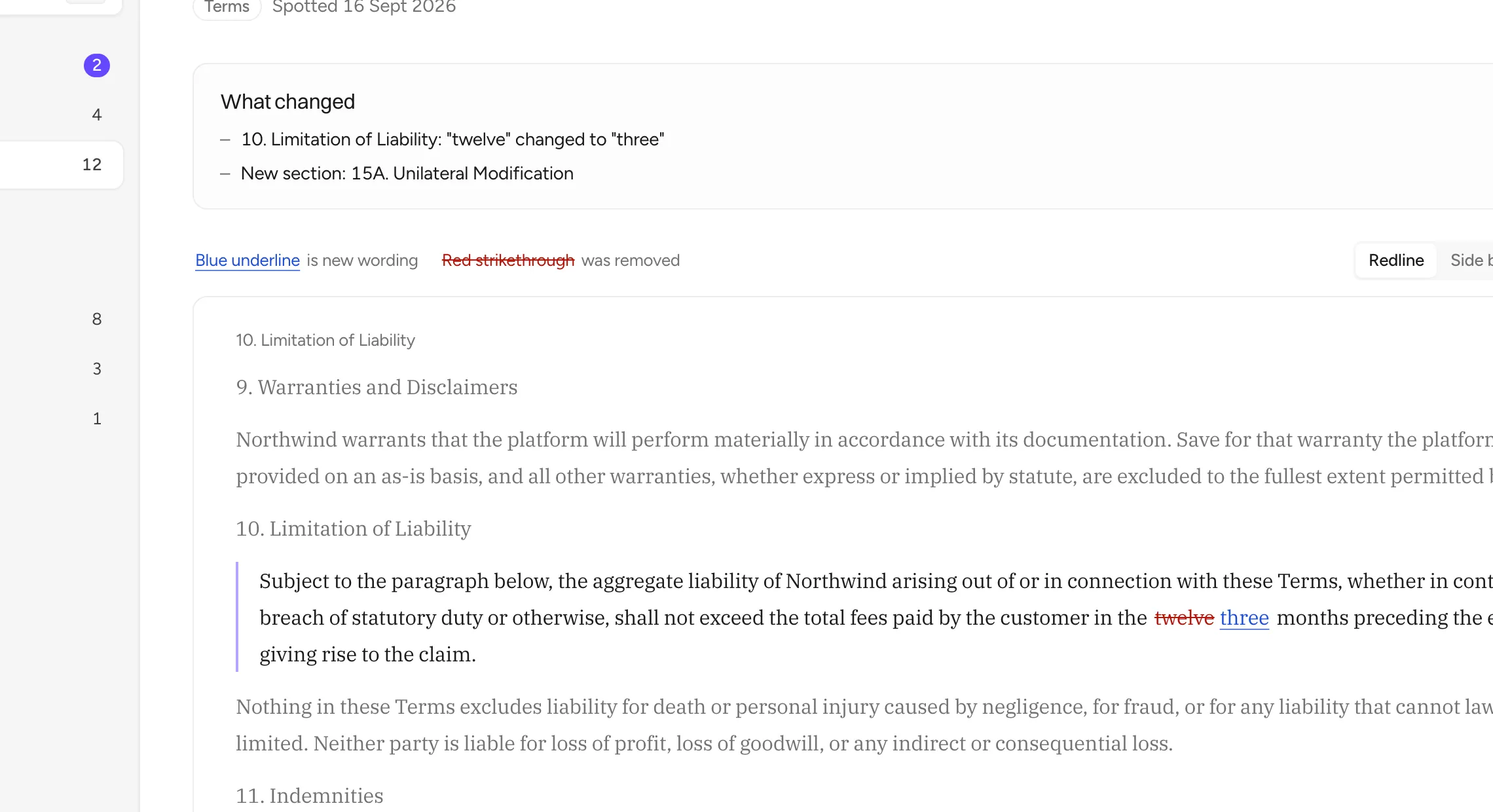
Liability falls from twelve months of fees to three. One word, in a sentence you signed off two years ago.
For legal teamsNo sign-inPublic pages only
TermsWatch reads your vendors' legal pages every day. When the wording changes, you get a redline that names the section and quotes the words — not a line count.
Vendors revise their terms quietly, and the change that matters is one sentence inside forty pages.
Liability falls from twelve months of fees to three. One word, in a sentence you signed off two years ago.
A clause is added letting the vendor change the terms on seven days' notice, with continued use counting as acceptance.
“shall not review” becomes “may review”, and customer content becomes training data unless you opt out.
How it works
01
Enter a website. TermsWatch follows the footer, the legal hub and the site map to find the terms, privacy policy, DPA, sub-processor list and AI policy.
02
Each page is captured and kept as it stood, with the date it was read and the date the page claims. That copy is what every later comparison is made against.
03
When the wording changes, it appears in To review, named by section, in the colours a redline already uses. Copy it into an email in one click.
What you get
Every change opens with what happened, named by section: “10. Limitation of Liability: ‘twelve’ changed to ‘three’”. No line counts, no percentages, no score.
New wording in blue and underlined, removed wording in red and struck through — the convention from Litera Compare and Word. Read it as a redline, side by side, or as the clean new text.
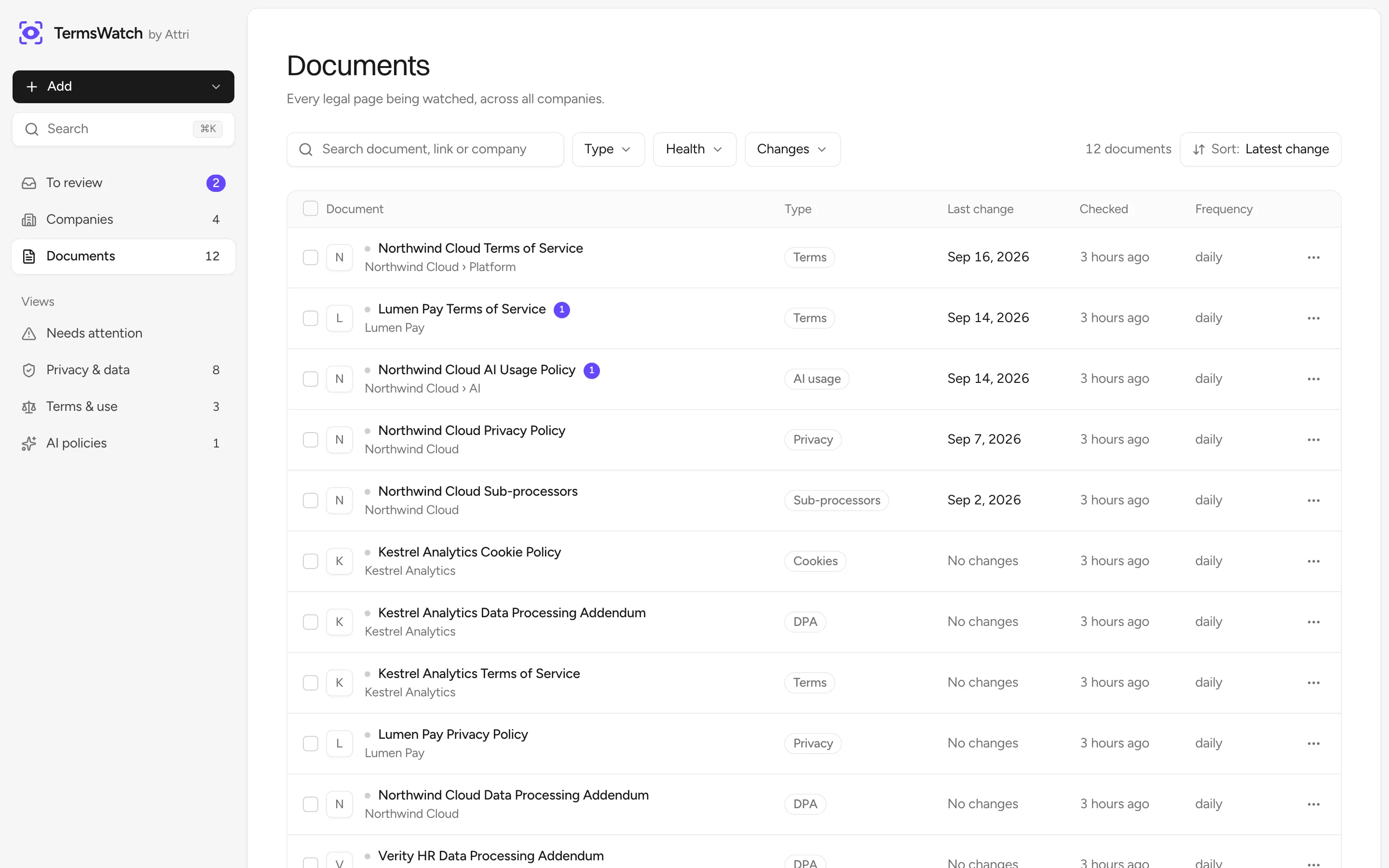
One list of everything watched, filtered by document type or by what needs attention, with ⌘K search across companies and documents.
Every watched page is read on a schedule you set, and a page that starts failing is flagged rather than forgotten.
Give it a website and it finds the legal pages — including the ones nobody sent you.
The same plain summary arrives by email, with a link to the redline.
Copy a summary into an email, or print a redline and a saved version for the file.
The date the page claims is captured too, and flagged when it moves without the wording changing.
Public pages only. TermsWatch never logs into a vendor's product, and it respects robots.txt.
The record
Every saved version keeps the text exactly as it was read, with a fingerprint. Each fingerprint is chained to the one before it, so a version cannot be edited after the fact without breaking the chain.
Who it is for
Watch the vendors your business depends on and get the change the week it happens, not at renewal. Forward the summary to the business owner without rewriting it.
Track the standard terms of the platforms your clients use, and know the day a clause moves. Print the redline for the file, with both dates on it.
Fees, chargeback windows and sub-processor lists change quietly. TermsWatch shows the sentence that moved, so the commercial conversation starts with the wording.
Questions
Public legal pages: terms of service, privacy policies, DPAs, sub-processor lists, AI policies, cookie and security pages. It never signs in anywhere, and it skips pages a site asks automated tools not to read.
Daily by default, and you can set a different interval per document. A check that fails is retried, and a page that keeps failing is flagged for a human.
No. The summary is built from the comparison itself — the section heading the change sits under, and the words that went in and out. Nothing is paraphrased, and nothing is called material for you.
Yes. Every version TermsWatch has read is kept and can be opened, printed or compared with any other version.
It is an internal Attri demo, built for legal teams. Ask Attri for access, or open the app if you already have it.
Open the app, add a company, and read the first redline in a few minutes.